When a milling tool repeatedly lifts, skips, or slams back into the material, that's bounce. This impact loading throws off cutting consistency, wears through tooling faster, stresses the machine, and tires out the operator over a long shift.
Wirtgen's own cutting technology documentation notes that nonhomogeneous pavement can trigger sudden impact-load peaks during cold milling, which means bounce often starts with what's underneath the drum, not just what's spinning on it, according to Wirtgen's cutting technology brochure.
This article covers what actually causes bounce, how it shows up in your finished surface and your equipment, and what contractors and operators can do through tool selection, machine setup, and maintenance to keep cutting smooth and predictable.
Key Takeaways
- Bounce typically stems from changing cutting forces, worn tooling, wrong settings, uneven material, or an unstable machine
- Left unchecked, bounce causes inconsistent depth, rougher finish, faster tool wear, downtime, and added machine stress
- Smoother cutting requires the right tool geometry, correct setup, controlled feed and depth, and regular inspection
- Low-vibration tooling reduces transmitted impact, but it does not eliminate vibration or health risk alone
What Causes Bounce During Milling?
Normal Vibration vs. Actual Bounce
Every milling pass produces some vibration. That's the nature of cutting asphalt or concrete. Normal cutting vibration is continuous and fairly predictable.
Bounce is different. It's intermittent loss and re-establishment of contact between tool and material.
Instead of a controlled cutting or wedging action, the tool strikes the surface, lifts, and strikes again. That impact loading, not steady contact, is what damages both the finish and the equipment.
Common Bounce Triggers
Bounce usually traces back to the material, the tool setup, or how the machine is run.
Material-related
- Abrupt transitions between asphalt and concrete
- Variable hardness within the same pass
- Voids or subsurface irregularities
- Embedded aggregate or reinforced sections
Tool- and machine-related
- Worn or uneven cutting elements
- Incorrect tool spacing on the drum
- Loose components or excessive drum runout
- Insufficient carrier machine stability
- Worn mounting or hydraulic components
Operating choices that amplify bounce
- Excessive cutting depth
- Mismatched feed and drum speed
- Aggressive engagement into the cut
- Forcing the machine past the tool's practical capacity
AsphaltPro's 2024 field reporting quotes a Wirtgen America milling manager on the same issue. Harder asphalt increases drum load and changes the cut pattern, so forward speed and drum speed need to be coordinated rather than pushed independently for productivity.
A Quick Troubleshooting Split
When bounce shows up, narrow down the source before swapping parts:
| Suspect | What to Check |
|---|---|
| Cutting tool | Wear pattern, missing teeth, uneven engagement |
| Drum/attachment | Runout, tool spacing, mounting security |
| Carrier machine | Stability, hydraulic condition, structural connections |
| Material | Hardness changes, voids, reinforcement, aggregate |
| Operator settings | Depth, feed speed, drum speed, engagement angle |
How Bounce Affects Cutting Performance
When a milling drum bounces, contact with the surface turns intermittent. That single change shows up in finish quality, component life, job speed, and how long an operator can stay effective.
Inconsistent Depth and Surface Quality
Intermittent contact means the drum removes material unevenly along the pass. The result: variable milling depth, ridges, chatter marks, loose debris, and rough transitions that often need an extra corrective pass.

One or two damaged carbide teeth are enough to leave humps in a milled surface. Those humps telegraph straight through into the finished overlay, so even limited broken tooling creates an outsized quality problem.
Wear, Downtime, and Operator Strain
Repeated impact loading accelerates wear across carbide elements, holders, drum components, bearings, hydraulic systems, and structural connections. Caterpillar's cold-planer documentation ties reduced vibration to longer service life for planetaries, drive shafts, and bearings, per Caterpillar's PM820/PM822/PM825 publication.
Caterpillar doesn't publish a bounce-specific wear rate. Still, the link between vibration and component life is reason enough not to treat chronic bounce as cosmetic.
Bounce also slows a job down in ways that compound fast:
- Slower advance rates to compensate for poor control
- Extra passes to correct inconsistent depth
- Unplanned stops for tool inspection or replacement
- Reduced machine availability while parts are swapped
Operators feel it directly: more noise, more jolting, and a harder time holding a straight line. Fatigue builds faster, and depending on the machine and operating position, they face greater exposure to hand-arm or whole-body vibration.
Stable Cutting vs. Bouncing Cutting
| Factor | Stable Cutting | Bouncing Cutting |
|---|---|---|
| Contact | Continuous | Intermittent |
| Finish | Consistent depth, clean texture | Ridges, chatter, loose material |
| Tool loading | Even | Spiked, impact-driven |
| Machine stress | Lower | Higher, especially on hydraulics and structure |
| Maintenance | Predictable intervals | Frequent and unplanned |
Choosing and Operating Low-Vibration Milling Tools
Design Features That Promote Stable Cutting
Look for design features that keep the cut stable:
- Controlled engagement into the material rather than a hard strike
- Balanced tool layout across the drum
- Tooth geometry suited to the material
- Secure holders that don't loosen under load
- Cutting action that releases material predictably
A tool marketed as low-vibration can still bounce if it's paired with a worn drum, an unstable carrier machine, the wrong cutting depth, or a feed rate the setup can't handle. Low-vibration performance is a system outcome: tool, drum or attachment, carrier machine, material, depth, and feed rate all have to work together.
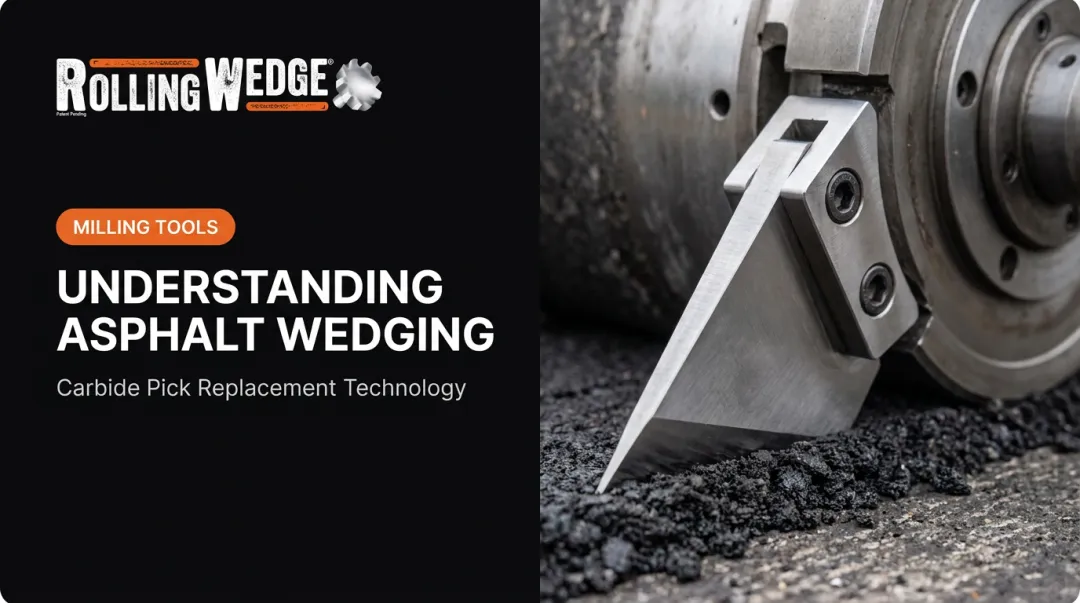
Rolling Wedge's Rolling-Wedging-Lifting Action
Rolling Wedge, a Peoria, Illinois manufacturer, builds its Milling Drums and Milling Tools around a rolling-wedging-lifting cutting action instead of the traditional impact-and-chip approach of a carbide pick. Rather than repeatedly striking the surface, the tool rolls over and away from the material, putting it into tension, with nine carbide teeth arranged around the body. Because the tool rolls instead of striking, Rolling Wedge reports smoother, bounce-free forward travel with no chatter, reduced machine vibration, less stress on hydraulic components, and less operator fatigue.

The company positions this design for asphalt, concrete, and reinforced or mixed-material surfaces, including cutting through many grades of rebar without jamming or stalling. Manufacturer operating guidance and material limits still apply. Contractors evaluating any low-vibration claim should confirm performance against their own material conditions and machine setup before committing to a full drum changeout.
Tool Selection Checklist
Before switching milling tools, confirm:
- Compatibility with your Skidsteer planer attachment or larger milling machine (Rolling Wedge supplies the Milling Drum and Milling Tools, not the attachment or machine)
- Cutting width and depth required for your typical jobs
- Holder and drum compatibility with your existing equipment
- Material types you actually cut: asphalt only, concrete only, or mixed and reinforced
- Replacement process and how long a changeout realistically takes
- Technical support available if something goes wrong mid-job
Don't take a vibration rating at face value. Under real operating conditions, track:
- Vibration readings and cutting-depth consistency
- Surface finish quality
- Tool replacement intervals and downtime
- Fuel or energy use
- Operator feedback
Document these across several jobs rather than relying on a single demo.
Reducing Bounce Through Setup and Maintenance
Pre-Operation Inspection
Run through this sequence before starting a pass:
- Check cutting elements and holders for wear, cracks, or missing teeth
- Confirm drum or attachment condition, including runout
- Inspect fasteners and mounting points for looseness
- Verify hydraulic and structural components for leaks or fatigue
- Remove and replace anything excessively worn before you start

Dial In Settings, One Variable at a Time
Start with manufacturer-recommended drum speed, feed rate, engagement method, and cutting depth. If bounce shows up, adjust one variable at a time (depth, then feed, then drum speed) so you know what actually fixed it.
For uneven or mixed surfaces:
- Use controlled passes
- Engage gradually instead of diving straight to full depth
- Plan ahead for transitions between asphalt, concrete, aggregate, and reinforced areas
Keep a Record
Log vibration levels, finish quality, tool wear, machine settings, and stoppages. Patterns show up fast once you're tracking them. A single job might look random, but three jobs with the same recurring bounce usually point to the same root cause.
Weigh the Real Cost
Tool cost is only part of the equation. A fair comparison includes:
- Purchase price
- Installation labor
- Replacement time
- Downtime
- Machine wear
- Rework
Rolling Wedge's online Milling Cost Comparison Tool lets you run these numbers against a traditional carbide-pick baseline. Rolling Wedge supplies the Milling Drum and Milling Tools, not the Skidsteer, planer attachment, or milling machine; contact Rolling Wedge for a quote on your setup.
Protecting Operators and Equipment
Two Different Kinds of Exposure
Hand-arm vibration travels through the hands and controls. It matters most for handheld tools and some Skidsteer operation.
Whole-body vibration travels through the seat and floor, and is more relevant on larger milling equipment where the operator sits for extended periods. The two are measured differently and call for different controls.
Reducing Exposure
- Choose low-vibration equipment and keep it properly maintained
- Use suitable seating or isolation where applicable
- Plan regular breaks and rotate operators on longer jobs
- Monitor vibration exposure instead of guessing at it
Tool Selection Isn't the Whole Answer
A better tool can reduce transmitted impact, but it doesn't determine HAVS risk on its own. Exposure duration, tool condition, and work practices all matter. Employers should consult current U.S. occupational safety guidance and qualified health and safety professionals rather than relying on a single tool's marketing claims.
Smoother cutting can help reduce shock loading and operator fatigue over a shift. Manufacturers like Caterpillar link reduced vibration to longer service life for bearings and driveline components. Confirm specific hydraulic, bearing, or structural benefit claims with manufacturer or engineering documentation before treating them as guaranteed. If bounce and vibration are recurring problems on your jobs, contact Rolling Wedge to discuss Rolling Wedge Milling Tools or the 20-day Rolling Wedge Milling Drum evaluation for qualifying customers.
Frequently Asked Questions
What is the best way to reduce vibrations?
Start with low-vibration tool selection, correct machine setup, and controlled cutting parameters like depth, feed, and drum speed. Pair that with regular maintenance, vibration monitoring, and operator exposure controls such as breaks and rotation.
What tool is most likely to cause HAVS?
Hand-arm vibration syndrome (HAVS) risk depends on vibration magnitude, exposure duration, tool condition, and work practices, not one tool category alone. Consult current OSHA guidance before drawing conclusions about a specific tool.
What causes a milling drum to bounce?
Common culprits include uneven material, excessive cutting depth or feed rate, worn or loose tooling, an unstable carrier machine, and incorrect drum or attachment settings. Usually more than one factor is at play at once.
How does tool bounce affect the milled surface?
Bounce creates inconsistent depth, chatter or ridging, and rough transitions between passes. That often means an extra corrective pass to fix what should have been right the first time.
How can operators tell whether vibration is caused by the tool or the machine?
Run a structured check across tool wear, holders, drum balance, mounting points, hydraulic components, material condition, and operating settings. Vibration measurements help confirm what visual inspection suggests.
Are low-vibration milling tools suitable for both asphalt and concrete?
It depends on tool design, machine compatibility, material hardness, reinforcement, and manufacturer guidance. Rolling Wedge Milling Tools mill asphalt, concrete, wire mesh, and many grades of rebar, including mixed surfaces in a single pass; verify results against your own job conditions.